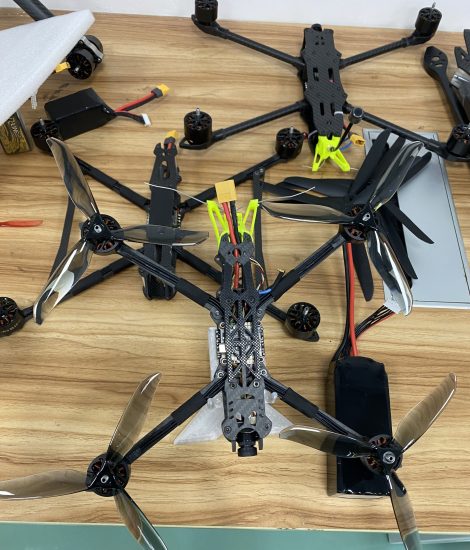



If your drone suddenly has a shorter control range, loses signal quickly, or becomes unstable at a distance, it can seriously affect flight safety and performance. This is a common issue for both beginner and professional drone users.
In most cases, reduced range is caused by signal interference, incorrect setup, or environmental conditions—not hardware failure.
This guide will help you restore full control range step by step.
1. Signal Interference in the Environment
The most common reason for short control range is interference from surroundings.
Problem sources:
-
High-voltage power lines
-
WiFi routers and towers
-
Metal buildings or vehicles
-
Dense urban areas
Solution:
-
Move to an open outdoor area
-
Avoid buildings and electrical infrastructure
-
Fly in wide, clear spaces
👉 Open fields provide the best signal performance.
2. Low Battery in Drone or Controller
Weak power reduces transmission strength.
Problem signs:
-
Signal drops quickly
-
Unstable connection
-
Short flight distance
Solution:
-
Fully charge drone battery
-
Replace or recharge controller batteries
-
Avoid flying at low battery levels
3. Antenna Positioning Issue
Incorrect antenna direction can significantly reduce range.
Solution:
-
Keep controller antennas fully extended
-
Point antennas toward the drone (not straight up randomly)
-
Avoid blocking antennas with hands or body
👉 Proper antenna alignment improves signal strength dramatically.
4. Firmware Not Updated
Outdated firmware may reduce transmission performance.
Solution:
-
Update drone firmware via official app
-
Update controller firmware if supported
-
Restart system after update
5. Wrong Frequency Mode (2.4GHz / 5.8GHz)
Some drones support dual-band transmission.
Solution:
-
Try switching between 2.4GHz and 5.8GHz
-
2.4GHz = longer range, better penetration
-
5.8GHz = faster signal, less interference
6. Obstructions Between Drone and Controller
Physical barriers reduce signal strength.
Problem examples:
-
Trees blocking line of sight
-
Buildings between drone and operator
-
Flying behind hills or structures
Solution:
-
Maintain direct line of sight
-
Fly higher to avoid obstacles
-
Keep clear visual contact
7. Remote Controller Calibration Issue
If controller is not calibrated properly, signal strength may drop.
Solution:
-
Reset controller settings
-
Rebind drone and controller
-
Restart both devices
8. Strong Weather Conditions
Weather can significantly impact signal range.
Affected conditions:
-
Heavy rain or fog
-
Strong winds
-
Stormy weather
Solution:
-
Avoid flying in bad weather
-
Wait for clear sky conditions
FAQ (Frequently Asked Questions)
Q1: Why does my drone lose signal after a short distance?
A: Usually caused by interference, weak battery, or antenna misalignment.
Q2: What is the maximum control range of a drone?
A: It depends on model—typically 500m to several kilometers under ideal conditions.
Q3: Can phone WiFi affect drone range?
A: Yes, nearby WiFi networks can cause signal interference.
Q4: Why is range shorter in cities?
A: Buildings, metal structures, and wireless signals block transmission.
Q5: How can I improve drone range instantly?
A: Move to open area, fully charge batteries, and adjust antennas properly.
Short drone control range is usually caused by environmental interference, antenna positioning, or battery issues. In most cases, improving flying conditions and correct setup can restore full range performance.
For best results, always fly in open areas, keep firmware updated, and maintain proper antenna alignment.
THE END








No comments yet